Windows Download and Installation of VideoBee - Common Issues
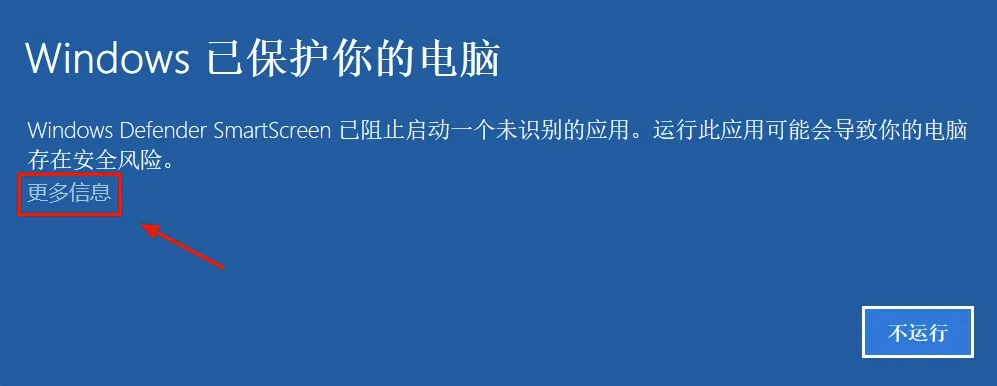
Solution 1: Windows Protected Your PC - Method 1
Click 'More info'
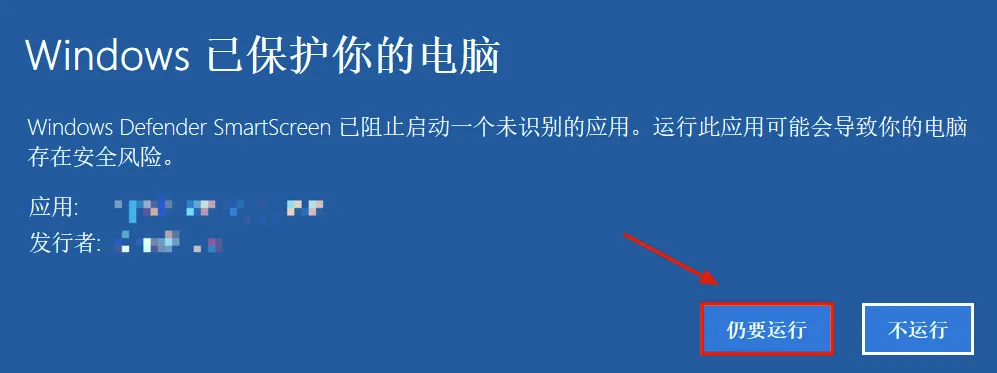
Click 'Run anyway' to use VideoBee normally.
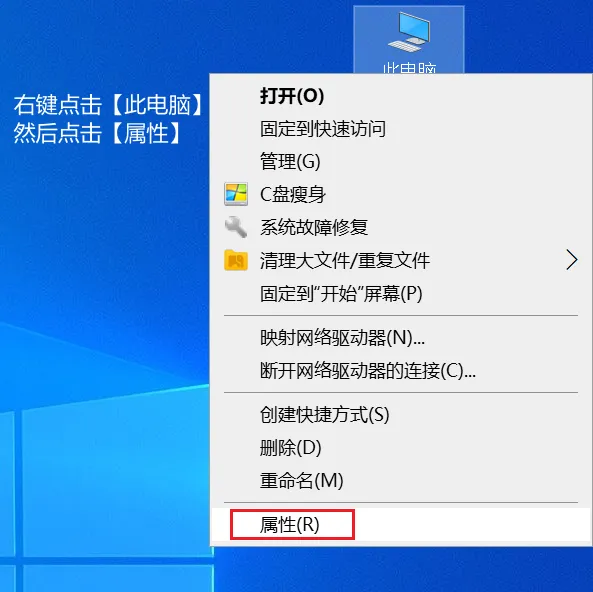
Solution 2: Windows Protected Your PC - Method 2
Right-click the 'This PC' icon on your desktop, click 'Properties', and enter the 'Settings' page.
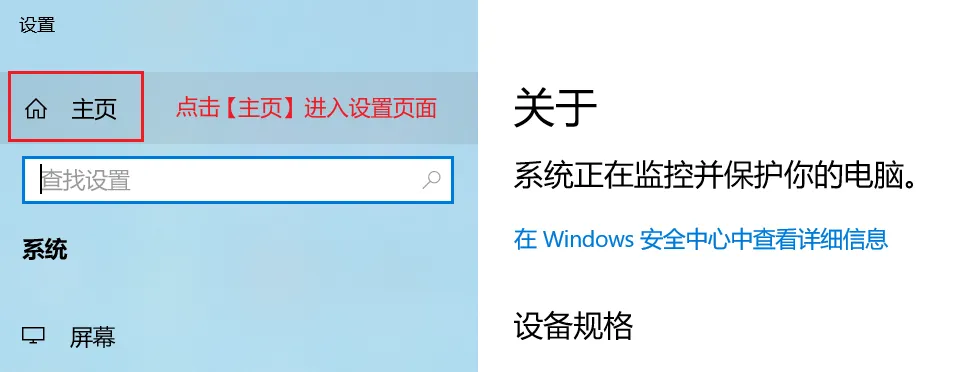
Click 'Home' to enter the 'Windows Settings' page.
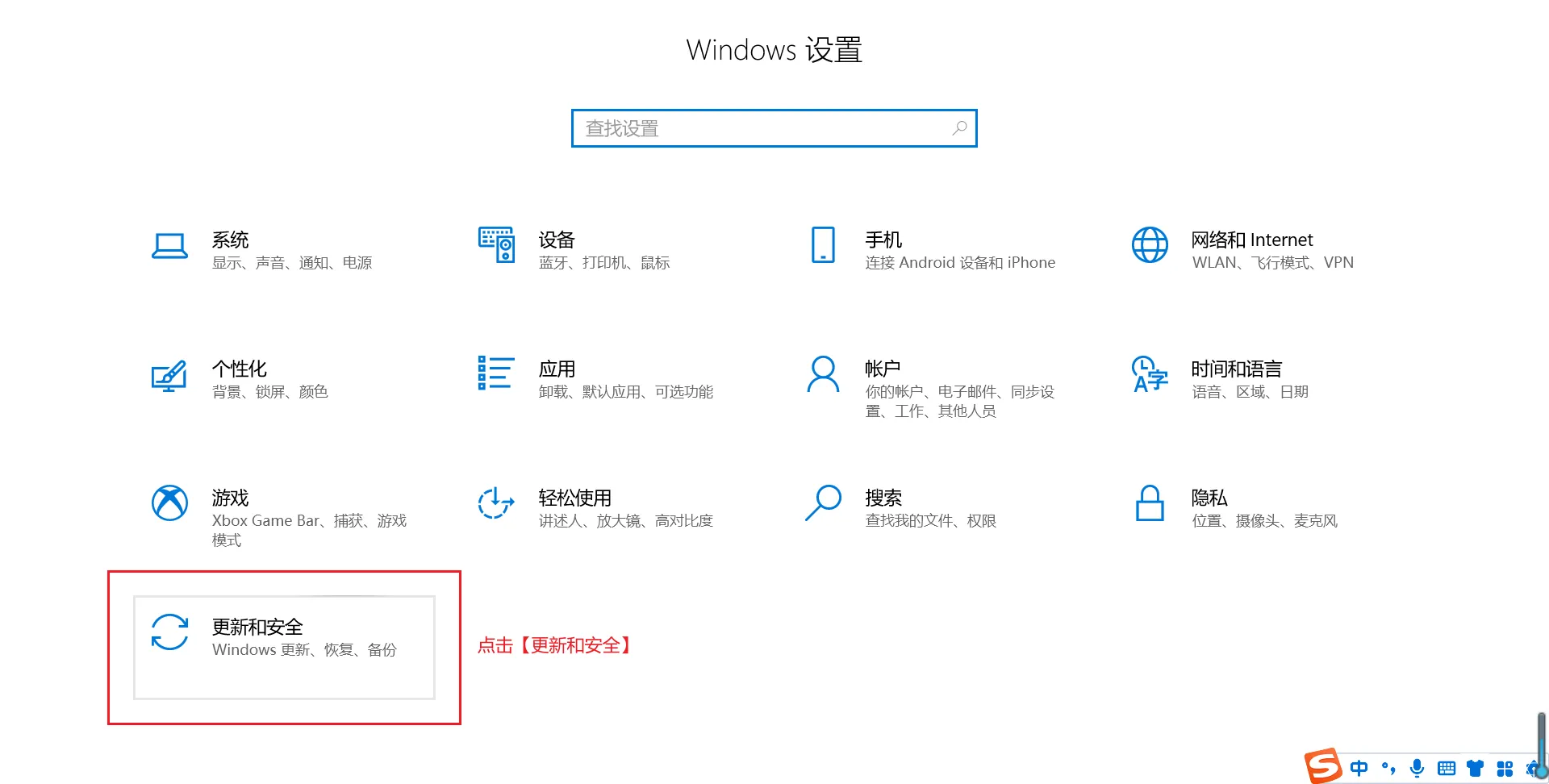
Click 'Update & Security'
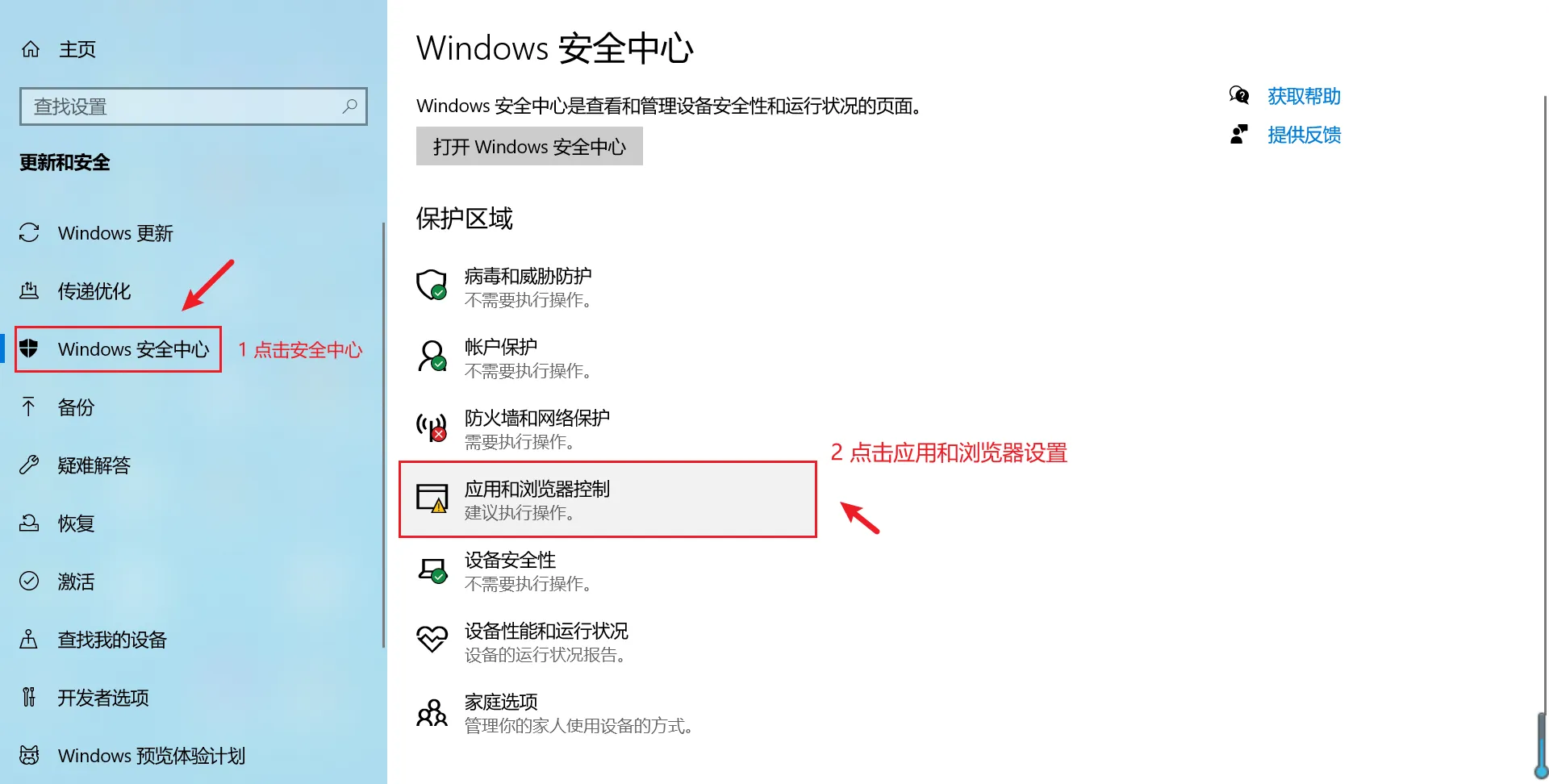
Enter 'Windows Security Center', click 'App & browser control'
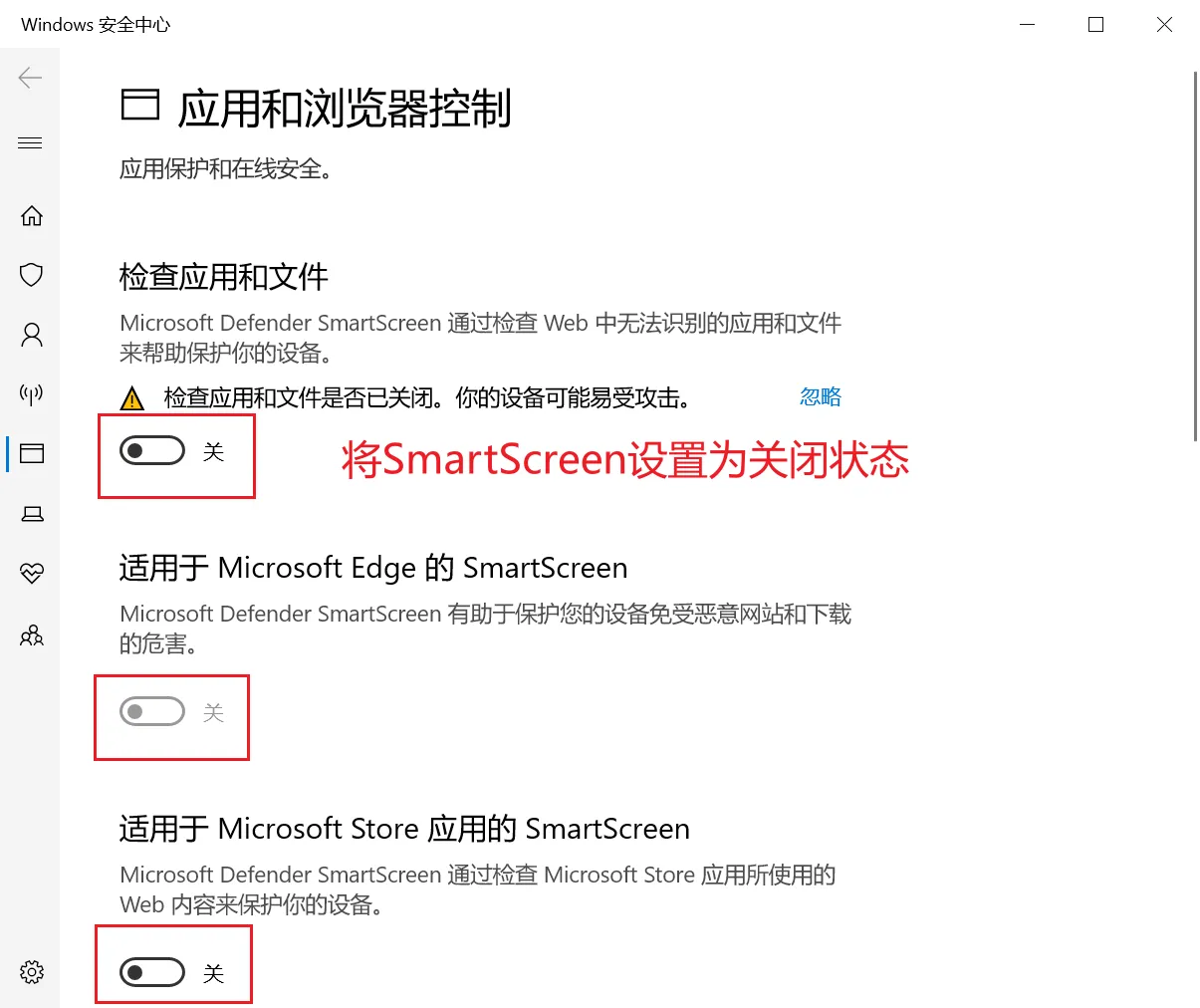
Set all 3 'SmartScreen' options to off.